


You may need to use different type faces while using text editors, graphic design applications and video editors such as Libre Office, GIMP, Krita, Scribus, DaVinci Resolve, Kdenlive, Shotcut, Blender, etc. It is easy to add any ttf or otf fonts to Pisi Linux.
There are tree ways to install any fonts you have:
Right click on any ttf or otf font, then select INSTALL. It will be set up automatically and ready to use on any application.
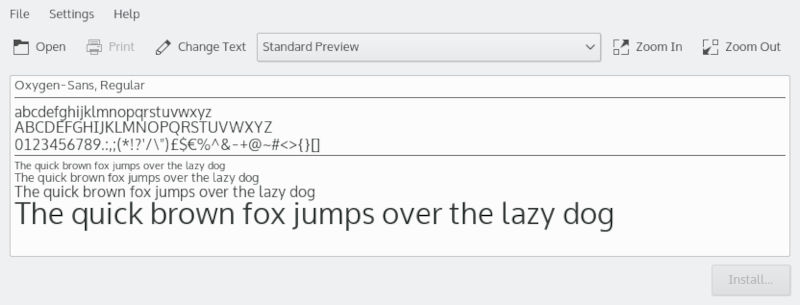
If you want to see the type face just right click on the font and select KfontView which is an application to view and install different types of fonts. Select your font and click INSTALL button. KFontview's Standard Preview displays your font in several different sizes. So you can get a good idea of what it will look like. You can choose additional preview types from the drop down menu.
You can create a font folder in directory and drag your font to use. For personal use create the folder like this example - home/user/.fonts -
If you want to other users to use the fonts, create folder - /usr/share/fonts - then create subfolders in alphabetical order and drag fonts on them.
Special thanks to Erkan Işık...